01 / Folders
Folders you can find your way around
Separate inputs, work and outputs. A small structure and a sorting process that preserves context.
Read the guideFolders / names / preservation
A small library about organising files. Clear conventions, practical notes and ready-to-use examples, with nothing to install.
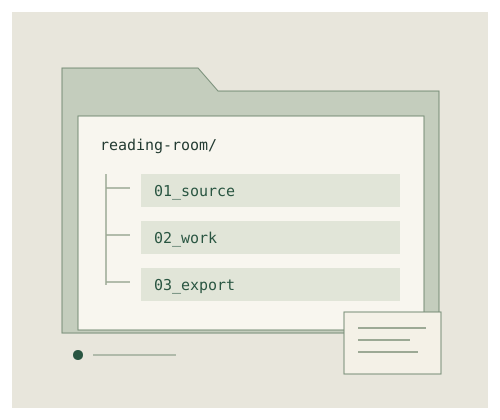
No need to reorganise the whole disk. Choose one project and try the approach there.
01 / Folders
Separate inputs, work and outputs. A small structure and a sorting process that preserves context.
Read the guide02 / Names
Date, subject, version: what belongs in a name and how to avoid breaking links.
Read the guide03 / Archives
What to keep, how to make an inventory and why to test the extraction.
Read the guideActual files, not upload forms. Open them locally, change them and pass them on.
Twelve steps from the first copy to a checked archive. Plain text to print or extend.
Paths, byte sizes and SHA-256 hashes of the four texts in the ZIP pack. UTF-8, comma-separated.
README, brief, working notes, output and a verifiable manifest. A teaching collection with no personal data.
Extract the ZIP into a separate folder. Read the README, then compare the inventory with the contents. Import the CSV into a spreadsheet as UTF-8. Dates inside the teaching archive are packaging timestamps, not dates of a real project.
Original educational notes and examples for everyday document work.
No account is required. This site does not upload anything from your device: downloads go the other way. All examples are fictional and contain no personal data. Make an independent copy before bulk moves or renaming your own files.
Original text, diagrams and sample files are dedicated to the public domain under CC0 1.0. You may copy and modify them without attribution. There is no warranty against data loss. Plain-text licence · CC0 1.0